Sell without slowing the queue
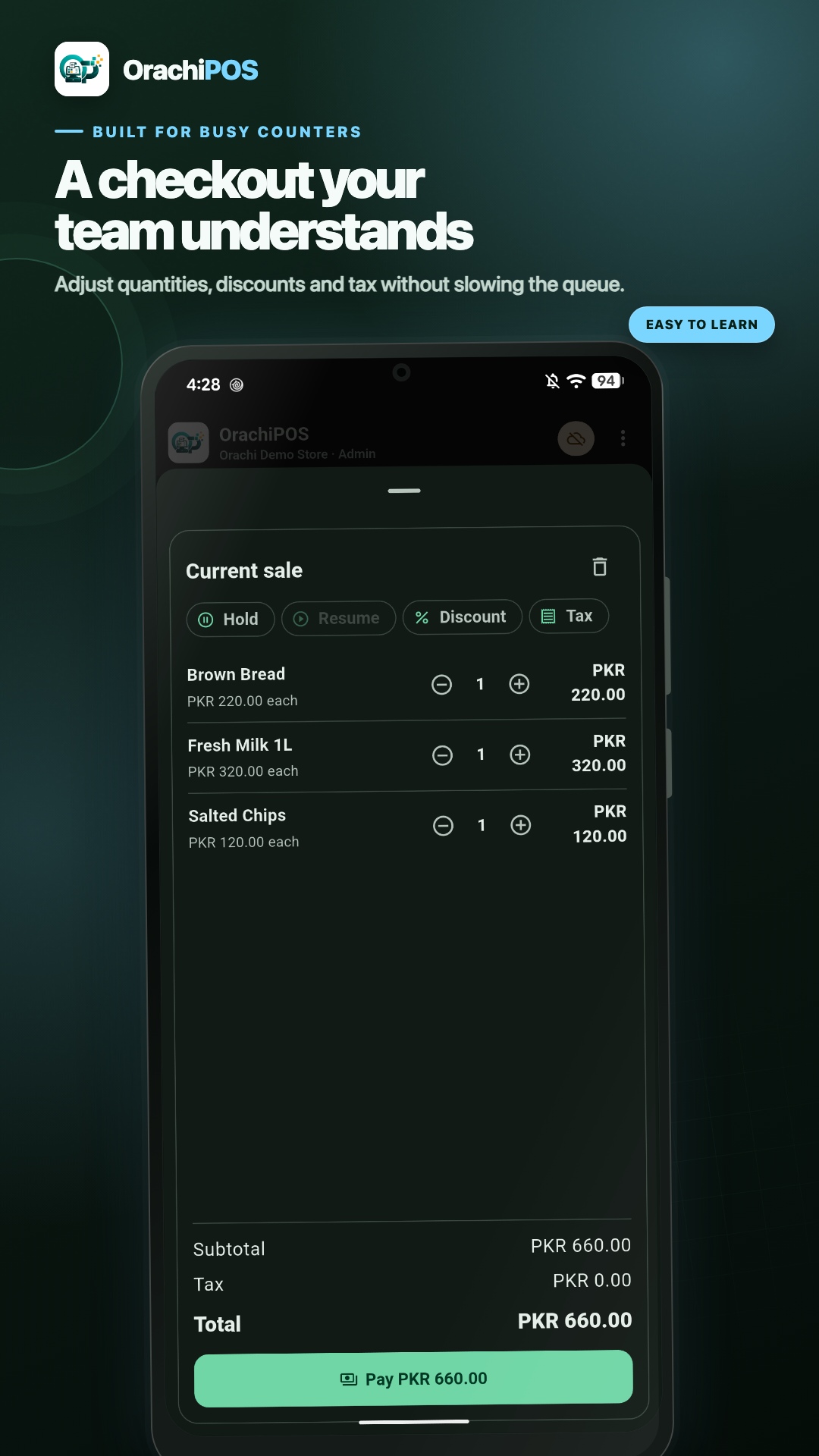
Search or scan products, take payment, apply discounts, and print a receipt from one focused counter screen.
Explore checkoutSell at the counter, keep stock accurate, and understand your day in real time. OrachiPOS gives grocery, retail, and cash & carry teams a simple system that keeps working when the internet does not.

OrachiPOS follows the real rhythm of your business, so your team always knows what to do next.
Search or scan products, take payment, apply discounts, and print a receipt from one focused counter screen.
Explore checkoutKeep quantities, prices, barcodes, purchases, and low-stock levels together instead of in separate files.
Explore inventorySee revenue, payment totals, profit, and hourly performance without waiting for someone to build a report.
Explore reportsUse the full desktop POS for your main checkout and Android Mobile when your team needs to sell, scan, or check the store away from the desk.
Run fast checkout, product management, purchases, stock, reports, receipts, staff roles, and multi-counter operations from Windows.
 Android Mobile
Give your team a connected mobile counter for camera scanning, shifts, receipts, inventory, and approved offline activity.
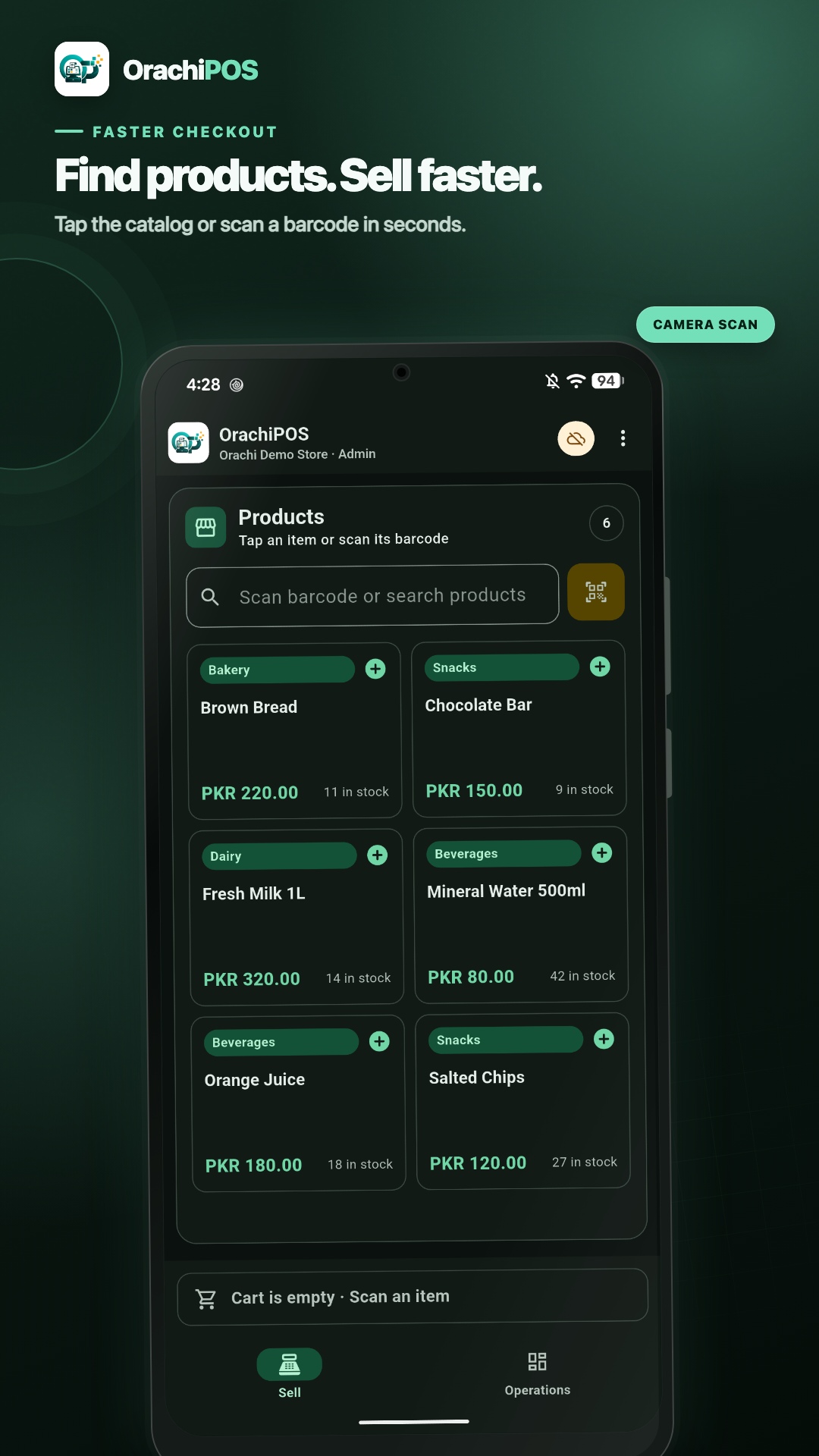
OrachiPOS Mobile brings checkout, phone-camera barcode scanning, shifts, receipts, inventory, and daily store visibility to Android — securely connected to your store.
Orachi Technology can build a customized POS system around your store operations, staff roles, receipt format, inventory process, reporting needs, and device setup. Whether you run a grocery store, pharmacy, restaurant, cash & carry, warehouse, or multi-branch retail business, we can shape the system around the way you work.
Activate only what you need. Upgrade when you add counters, staff, or a second location.
Barcode scan, hold bills, spreadsheet entry, and cashier keyboard shortcuts.
Purchases, stock adjustments, low-stock alerts, and movement history.
Daily sales, payment totals, hourly breakdowns, and Excel export.
Thermal receipt printing and barcode labels from the product screen.
Main server plus child counters on the same shop network.
Optional backup and multi-store dashboard on Enterprise plans.
A quick look at the real OrachiPOS screens your team will use every day, from completing a sale to reviewing profit.
One clear workspace for fast checkout, accurate stock, and reports you can understand at a glance.
From single-counter shops to growing chains — OrachiPOS keeps the register moving.
"We switched from a slow legacy system. Checkout is faster and our staff learned it in one afternoon."
"Offline mode is essential for us. Sales never stop when the internet drops — reports are still accurate."
"Module-based pricing made sense. We started on Starter and upgraded when we added a second billing desk."
Download OrachiPOS free for 14 days. No credit card — install on Windows and go live today.
Download OrachiPOSYes. All sales and inventory data stays on your PC. Cloud sync is optional on Enterprise plans.
Yes. Business plan and above include LAN mode — one main server PC and child counters.
Each plan unlocks specific modules. Enter your license key in System Settings after purchase.
macOS builds are in progress. Windows 10/11 is fully supported today.
Yes. OrachiPOS Mobile supports activated-store checkout, camera barcode scanning, shifts, inventory tools, receipts, and secure synchronization. Contact us to arrange mobile access for your account.